


King
Administrator
- Joined
- Jul 12, 2021
- Messages
- 25,005
- Reaction score
- 5
- Points
- 38
Absolute Beginners Guide To Cfd Simulation In Ansys
Last updated 7/2022
MP4 | Video: h264, 1280x720 | Audio: AAC, 44.1 KHz
Language: English | Size: 1.76 GB | Duration: 1h 34m
A first course in learning everything in CFD from scratch without any prior knowledge of simulation
What you'll learn
Learn CFD simulation from scratch in ANSYS workbench environment
Clean geometry and create domain in ANSYS Spacelcaim
Create highly quality mesh in Workbench meshing
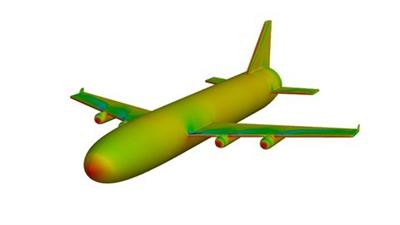
Quickly run CFD simulation in Fluent for full aircraft
To setup compressible flow problem and accelerating solution convergence for density based solver in Fluent
Quickly modify geometry of full Aircraft by providing 8 deg AoA using move command
Updating mesh and solution in single click
Analyze CFD results in Fluent post processing tools and getting contour plot, vector plots, path lines, Cp plot etc.
Requirements
You will learn every thing from scratch. So no prior knowledge of CFD is needed for this course.
ANSYS 2022 R1 (professional) installed on your computer for using files given with course.
You would also need a decent computer with i5 or i7 processor and atleast 8-16 GB RAM
Description
In this course you will learn your first CFD simulation from scratch. We will use Boeing 747-400 simplified model to learn important CFD modules in ANSYS workbench. We will use ANSYS Spaceclaim for geometry cleaning and creating domain for full Aircraft (Boeing 747-400). We will also crate body that will be used as body of influence (BOI) for mesh refinement in wake region. After that using same geometry and domain, we will cerate hybrid mesh in Workbench Grid generation app. We will create prism layers for capturing boundary layer flow features which are very important for aerodynamic flows such in our case. We will also refine mesh in wake using body of influence (BOI). This mesh will be then used for...
Read more
Continue reading...