


King
Administrator
- Joined
- Jul 12, 2021
- Messages
- 25,005
- Reaction score
- 5
- Points
- 38
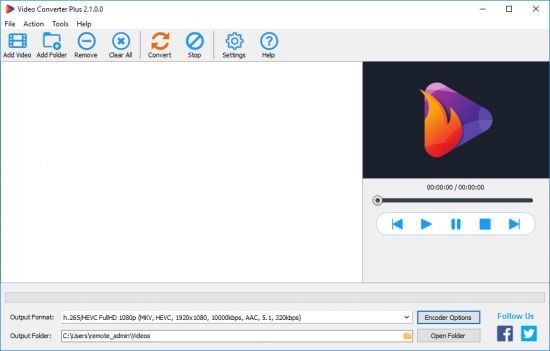
AbyssMedia Video Converter Plus 2.1
File size: 22.4 MB
Video Converter Plus is a fast and convenient video converter that allows you to convert video and audio from a wide range of formats for playback and sharing on any device and platform. Whenever you want to convert a video or audio file, this video transcoding software will fully meet your needs without worrying whether your system supports the original video format or not. Use ready-made optimized presets to create videos in 1080p or 4k formats.
High-quality Video Processing
With Video Converter Plus, you're able to fully control the video quality. This software can preserve the original quality of your videos, including those in 1080p Full HD and 4K Ultra HD. The professional video processing algorithms maintain the high visual quality, but at a smaller file size.
Performance
Are you the lucky owner of a modern multi-core CPU and want to try it out? Video Converter Plus will easily utilize all of its resources to produce high quality video. We didn't release the 32-bit version to avoid the 2GB RAM limit per process, which is too little for high resolution video.
Only modern formats
Why make another converter that supports hundreds of unknown and abandoned formats? It is enough to be able to decode them and use only the most modern formats as output. You have to admit that almost all modern devices - from smartphones to TVs - have hardware support for h.264/AVC, h.264/HEVC and the latest AV1 format. So why use other formats that require installing additional software and eating up the battery?
Codecs and Presets
Since any codecs have both advantages and disadvantages, our converter can use different codecs for the same format depending on the selected settings. The optimal balance of quality and performance depends only on your choice, just select the appropriate preset and change its settings for you.
No...
Please Login or Register to view content
Continue reading...