


King
Administrator
- Joined
- Jul 12, 2021
- Messages
- 25,005
- Reaction score
- 5
- Points
- 38
Published 11/2022
MP4 | Video: h264, 1280x720 | Audio: AAC, 44.1 KHz
Language: English | Size: 1.73 GB | Duration: 2h 24m
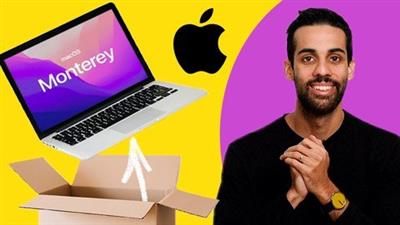
You just got a new MacBook with macOS Monterey and you want to learn your way around, with a professional guide!
What you'll learn
How to navigate the Apple Mac Operating System and carry out key productivity functions
Learn how to set up their Email account with Apple mail and send and receive email attachments
Unlock the possibilities of browsing the internet through the Safari web browser
Keyboard shourtcuts and other quick use tips to become a Mac super user
Requirements
You will need to own or have access to an Apple Mac computer
Description
I am a digital content creator and aspiring comedian that has been using macOS for over 10 years. This course was developed for my Mother who has recently also become a Mac user. Knowing what often confuses her and having seen macOS change over the years I have created over 2 hours of video tutorials about various aspects of the Mac operating system. In this course we will go through 7 units of this content, from orienting ourselves on our new computer all the way to learning about specific applications and becoming efficient macOS users.Over the course we will cover 7 units which include:Basic Navigation of macOS MontereyUsing the Finder file explorer, searching files and organising our digital workspace.Browsing the internet with Safari, creating bookmarks and using multiple windows and tabsChecking our email with the Apple Mail application and the basics of file attachments.Downloading ZOOM and connecting to virtual meetings (including the installation process)Pro tips and tricks (screenshots, gesture navigation, hot keys)What to do when you encounter difficulties with your computerI look forward to taking this journey with you and am happy to answer any questions you...
Read more
Continue reading...