


King
Administrator
- Joined
- Jul 12, 2021
- Messages
- 25,005
- Reaction score
- 5
- Points
- 38
2022-11-29
MP4 | Video: h264, 1920x1080 | Audio: AAC, 44.1 KHz
Language: English | Size: 595.58 MB | Duration: 32m
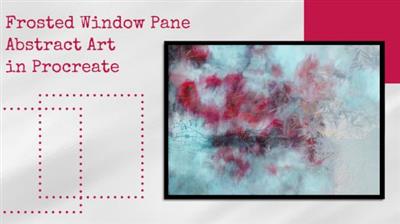
Christmas Abstract Art In Procreate - Frosted Window Pane
About This Class
Create a fantastic piece of Christmas or winter themed abstract art by smudging and blending a few photos and then adding texture overlays (if desired) and finishing your fabulous art with blending a
Description
This fun and simple class takes the photo smudging technique up a notch by blending multiple photos and adding a frosted window image to complete this unique abstract art. Your completed project would look wonderful framed and hung as part of your Christmas decorations. Or you can create a fabulous giftable piece of art.
When you take this class, you will
Have fun creating an exciting piece of art from a simple photograph, whether you are a beginner to Procreate or are a seasoned digital artist
Learn the value of amazing yet simple Procreate tools like smudging and blend modes
Discover sources for royalty free photographs and begin to see the creative possibilities that can come from them
Receive texture overlays to use in your project
You will need
An iPad with Procreate installed
An Apple Pencil or other pressure sensitive stylus
A desire to play, learn, and discover
Class Overview
I will begin by highlighting my Christmas collection on Unsplash, a great resource for selecting wonderful photos for this project. A link to this resource is provided in the Projects and Resources section of the class.
I will use the fabulous smudge tool to blend the colors in the photo.
I will then repeat the smudging process with a second photo and blend the two photos together with blend modes, showing how different blend modes produce unique and awesome effects.
Then I will repeat this process with an additional photo.
After that, I will test out blending a few of...
Read more
Continue reading...