


King
Administrator
- Joined
- Jul 12, 2021
- Messages
- 25,005
- Reaction score
- 5
- Points
- 38
File Size : 61.5 Mb
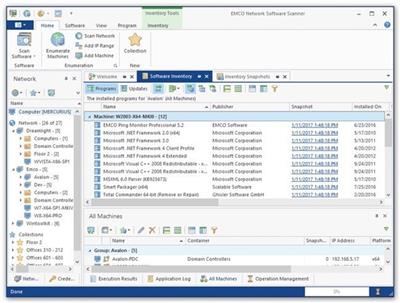
EMCO Network Software Scanner is an inventory tool that allows you to get information on applications installed anywhere on the network. For every PC, this tool collects information that includes the installed applications' names, versions, installation dates and other parameters available in the Windows Add/Remove Programs list.
Also, the application allows extracting information on installed software updates from remote PCs. The collected information is displayed in the application's UI and can be exported to a CSV file.
Software inventory information collected by the application is saved into a database and can be compared with previously extracted data in order to detect applications and updates that were installed and uninstalled in meantime. The list of changes is displayed in the application's UI and can be exported to a CSV file.
The operations of network scanning and software audit can be performed without any client installation on network PCs. All operations work silently and are invisible for end-users. The application doesn't use WMA for software audit operations, so it can be used in network where WMA is disabled.
Features
Installed Applications Audit
· The application allows scanning Windows computers in a local network to extract information on applications installed on every PC. The reported information includes the application name, version and vendor, installation date and installation size, as well as other fields displayed in the Windows Programs and Components dialog.
Software Updates Audit
· Information collected from remote PCs also includes a list of installed software updates. Such lists of updates are grouped by applications, so it's easy to check the history of updates for all applications. The reported information on updates includes the installation date, version, etc. Some software vendors provide a...
Please Login or Register to view content
Continue reading...