


King
Administrator
- Joined
- Jul 12, 2021
- Messages
- 25,005
- Reaction score
- 5
- Points
- 38
Published 11/2022
MP4 | Video: h264, 1280x720 | Audio: AAC, 44.1 KHz
Language: English | Size: 597.34 MB | Duration: 0h 52m
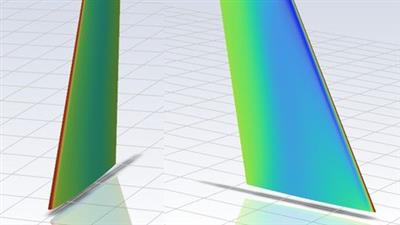
Use of Fluent Aero package to solver ONERA M6 wing in fully automatic fashion
What you'll learn
Learning about the Aero mode in Fluent for running simulations related to aerodynamics flow analysis
To solve ONERA M6 wing
How to setup problem in aero mode by providing flow and geometric parameters
Solving simulations in aero mode
Getting CFD results for validation
Requirements
Basic understanding of CFD and aerodynamics
Fluent 2022 R1 installed on your computer with premium features
i3 processor (atleast) and 16 GB RAM
Description
In this course we will solve ONERA M6 wing using Fluent Aero. Fluent Aero is specialized software to solve aerodynamic flows. It provides the fully automatic to run different angle of attacks and range of Mach number for particular aerodynamic body without any user input. You just need to provide range of Mach number and angle of attack along with reference area, reference length, freestream pressure and temperature. Rest of the things will done by Aero features. Moreover the solver settings are optimized and set for particular flow regime which is also decided by solver by given input parameters. Fluent Aero uses the best features from Fluent solver and solves the simulation in least iterations with utmost accuracy. Once solution is completed it provides you all input data, all aerodynamics coefficients, residuals plots in separate folder in excel format for easy plotting etc. So we have taken ONERA M6 wing and mesh was already created in other course. So we just need mesh and few boundary conditions and reference conditions and rest is done by Fluent Aero. After running solution we will take drag, lift and moment coefficient and compare it will NASA data from 2018 AIAA paper (reference and...
Read more
Continue reading...