


King
Administrator
- Joined
- Jul 12, 2021
- Messages
- 25,005
- Reaction score
- 5
- Points
- 38
File size: 100 MB
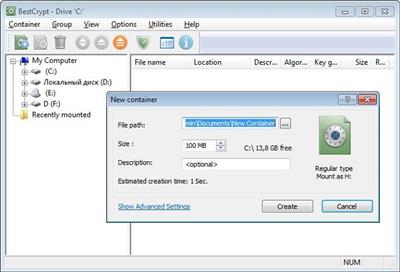
BestCrypt Container Encryption provides painless encryption to store any selected files or folders on: Active computers. Shared workstations. Removable storage. Network storage. Encrypted containers work like virtual drives - intuitively easy with transparent use and access to files. File encryption by Jetico delivers cross-platform compatibility: BestCrypt container files may be moved to any computer or storage media
General features
Store and Access Encrypted Files Easily via Virtual Drives
Create and Manage Multiple Containers
Mount Encrypted Drive as a Subfolder
Define Usage in Multi-user Environment
Create and Access Containers Instantly
Work with Dynamic Containers
Move and Store Encrypted Containers across Windows, Linux, Mac and Android (Beta) Operating Systems
Upload and Share Containers in Cloud
Security enhancement
Enhanced Hidden Containers
Operations with Container Headers
Anti-Keylogger
Support for Keyfiles
Support for Public Key Encryption
Support for Secret Sharing Schemes
Prevent Accidental Deletion of Containers with Container Guard
Add-ons
Compress one or more Files in an Encrypted Archive with BCArchive
Wipe Files with BCWipe
Encode/Decode Text Data with BCTextEncoder
Encrypt Windows Swap File
New Features & Added Benefits in v.9
Support for Dynamic Containers
Dynamic Containers allow your encrypted storage to expand as you go - maximum size is set at time of container creation, while actual container size grows as files are added.
Smart Free Space Monitoring
Version 9 is now smart enough to monitor and constantly indicate the amount of data that can be written to Dynamic Containers for optimized stability.
Instant access to containers
With BestCrypt users can start adding files immediately with instant access to encrypted containers. The BestCrypt container will finish encrypting in the background while...
Please Login or Register to view content
Continue reading...