


King
Administrator
- Joined
- Jul 12, 2021
- Messages
- 25,005
- Reaction score
- 5
- Points
- 38
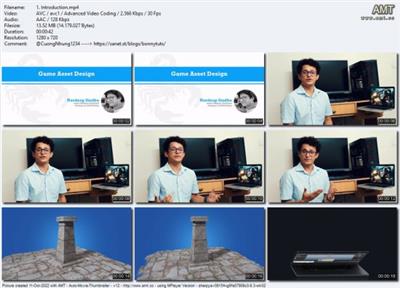
Learn Game Assets Design
Published 10/2022
MP4 | Video: h264, 1280x720 | Audio: AAC, 44.1 KHz, 2 Ch
Genre: eLearning | Language: English | Duration: 23 lectures (2h 25m) | Size: 1.44 GB
Game Assets Design
What you'll learn
Creation of Game Ready assets
Modeling and Texturing of game design
Game development
Process of game assets design
Lighting and Rendering in Marmoset tool bag
Requirements
This course is Beginner friendly. Just have a System/laptop with required software installed in it. (autodesk Maya, Maxon Z- Brush, Adobe Substance painter)
Description
In this course you will get the knowledge of 3D applications like Autodesk Maya, Maxon Z- Brush , Adobe Substance Painter and Marmoset tool Bag.
There is no pre-requirements for this course.
List of Software's Required
*** Any version of Autodesk Maya ***
*** Maxon Z-Brush ***
*** Adobe Substance Painter ***
*** Marmoset Tool Bag ***
Enroll Now And Become A Game Assets Designer or 3D modeler
What you will learn
1. Quick_maya_interface_overview
2. navigation and component modes in maya
3. component mode and tools
4. create and set project
5. setting up the real scale world reference
6. quick_overview_of_UV_unwrapping
7. asset_UV_unwrapping
8. prepearing model for zbrush
9. importing_asset_in_zbrush
10. quick_zbrush_interface_overview
11. adding_details
12. Decimate master
13. adding_details_on_plane_geometry
14. exporting_asset_for_substance_painter
15. importing_model_into_substance_painter
16. quick_substance_painter_overview
17. intro_to_texturing_in_substance_painter
18. texturing_plane_in_substance_painter
19. exporting_textures_from_painter
20. importing_model_and_textures_in_marmoset_tool_bag
21. lighting_and_rendering_in_marmoset_tool_bag
22. turn_table_and_final_Words
Pre- requirements:-
There is no pre-requirements for this course. You just need a decent system/ laptop...
Read more
Continue reading...