


King
Administrator
- Joined
- Jul 12, 2021
- Messages
- 25,005
- Reaction score
- 5
- Points
- 38
Published 11/2022
Created by Godson Thomas
MP4 | Video: h264, 1280x720 | Audio: AAC, 44.1 KHz, 2 Ch
Genre: eLearning | Language: English | Duration: 12 Lectures ( 1h 20m ) | Size: 606 MB
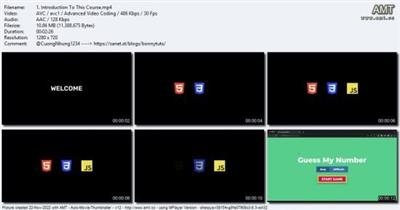
Improve your web development skills by creating a Number Guessing game.
What you'll learn
How To Create UI Using HTML & CSS
How To Access & Manipulate Web Elements
Work With The User Input
How To Choose Colors For Your Design
Requirements
Basic Knowledge of HTML, CSS and JavaScript
Description
I believe developing games is the best way to learn programming. So, in this course, we are going to create a simple game called 'Guess My Number'. We will be developing the game for web using HTML, CSS and JavaScript. We will write all the code on screen, no copying and pasting from anywhere. By the end of the course, you will have the complete game source code ready.Here are some things you will learn in this course:How to access and manipulate HTML elements using JavaScriptHow to create beautiful UI for your games using HTML and CSSHere are the prerequisites for this course:Basic knowledge of HTML, CSS and JavaScriptA computer that can run a code editorThis course is designed for intermediate web developers who are looking to improve their web development skills.We will start by setting up our project and creating the necessary files. Then there will be some JavaScript essential tutorials to refresh your basic JavaScript knowledge. We will have 3 screens in our game. The start screen has the main menu, then we will have a game screen where the user can play the game. And then in the end there will be the end screen where we will display the score of the game to the user.We will create the UI using HTML and CSS. We will also add some basic animation to the screens.Then we will start writing the logic of the game in JavaScript. The knowledge from this course will...
Read more
Continue reading...