


King
Administrator
- Joined
- Jul 12, 2021
- Messages
- 25,005
- Reaction score
- 5
- Points
- 38
Last updated 1/2022
MP4 | Video: h264, 1280x720 | Audio: AAC, 44.1 KHz
Language: English | Size: 3.11 GB | Duration: 4h 11m
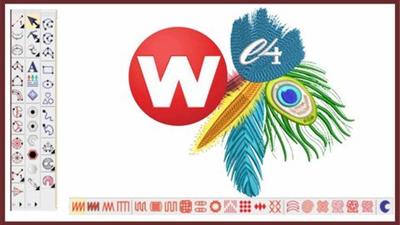
Wilcom Computerized Embroidery Digitising Complete Course - Step by Step Explanation From Beginners to Pro
What you'll learn
Overview and understanding of working in Wilcom Embroidery Studio
Basics commands and options which are important for working in Wilcom Embroidery
Toolbars and Flyouts in wilcom
Importing and Artwork in Embroidery workspace
Handling embroidery and graphics workspace in wilcom
Working with Outline Tools and Outline stitch types
Working with Input Tools in Details.
Working with Column A, Column B and Column C Tools
Working with Complex and Complex turning Tools
Explaining of all the outline stitch types and fill stitch types in Wilcom E4
Offset and outline Options in wilcom
Stitch effects with practical examples of effects
Mirror Merge Options with advanced usage
Shaping Tools and their Options in detail
Applique with all it options and working
A comprehensive explanation of lettering in wilcom
Team names and Options in wilcom
Monogramming and Options
Motif fill and program split
customizing motif for your embroidery designs in wilcom
Graphics Digitizing Bar tools and Options
Working with holes and blending options
Carving stamp tools and options
Explaining about digitizing a design
Finalising a design for machine
Travelling a design for production
Exporting a design to machine format
reducing stitches for prodcution
approval sheet and options
Requirements
you need a computer with internet connection
wilcom Embroidery studio to installed on your system
no prior knowledge of wilcom is required for this course
Description
Wilcom Embroidery Digitising Complete Course in English:In this course you will Learn about all The tools in Full Details, by completing this course, you will just be able to...
Read more
Continue reading...