


King
Administrator
- Joined
- Jul 12, 2021
- Messages
- 25,005
- Reaction score
- 5
- Points
- 38
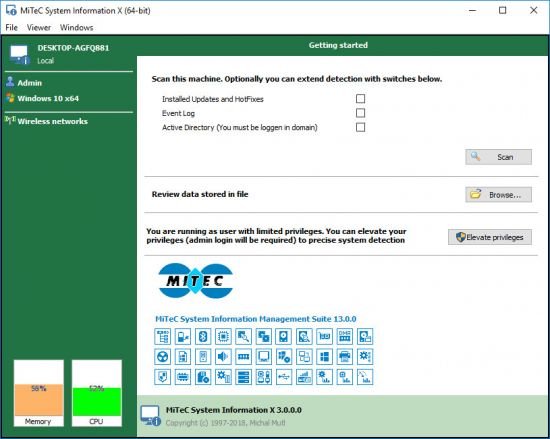
MiTeC System Information X 4.6.0
File Size : 6.4 Mb
When you want to analyze the components of your PC, you can either browse around its menus and windows until you get all the needed information, or you can rely on a specialized app.
Such a solution is MiTeC System Information X, an intuitive utility that can help you generate reports about your computer's software and hardware components.
A portable app to analyze your PC's components
The application does not need to be installed onto the host computer, so you can carry it on your removable USB stick and launch it whenever you want to examine the PC you are currently working on.
The main window is the place where you can get an overview with the current PC name and username, as well as the available wireless networks and their strength. You can proceed with the scanning, as soon as you select the additional type of data you are interested in, be it installed updates and hotfixes, event logs or Active Directory info.
Effortlessly get detailed PC information
Once your computer has been thoroughly examined, you get an extensive list with all its components, along with their model, manufacturer or relevant details.
For example, you can explore data related to the processor, such as marketing name, architecture, number of cores, frequency and vendor name. Similarly, you can get information regarding the RAM, motherboard, monitor(s), video card, printer, audio card, USB devices or network adapters.
Export system info to a report for later use
One of the handy functions of MiTeC System Information X...
Read more
Continue reading...