


King
Administrator
- Joined
- Jul 12, 2021
- Messages
- 25,005
- Reaction score
- 5
- Points
- 38
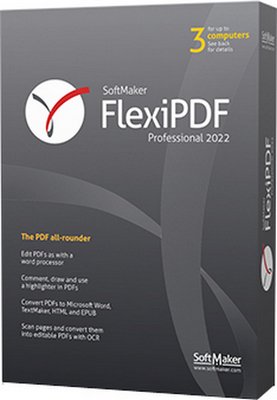
SoftMaker FlexiPDF 2022 Professional 3.0.7 Multilingual
File size: 316.3 MB
Edit PDF files as easily as with a word processor. With FlexiPDF, creating, editing and commenting in PDF files is just as quick and easy as exporting them for further editing in TextMaker or Microsoft Word. FlexiPDF always delivers excellent results—whether you insert or edit text and images, rearrange the layout or reorder the pages of a PDF file. FlexiPDF converts your PDF files into text documents that you can edit with TextMaker and Microsoft Word. FlexiPDF Professional also uses OCR to convert scanned pages into editable and searchable PDF files.
FlexiPDF is the indispensable tool for anyone who works with PDFs.Features:
• Integrated printer driver for creating PDFs from inside all Windows applications
• Edit text across paragraphs and pages, like in a word processor
• Insert, move, delete pages; insert pages from other PDF files
• Insert, move, delete pictures and drawings
• Built-in multi-language spell checker and automatic hyphenation
• Insert comments, drawings, stamps
• Export PDF files for editing in TextMaker or Microsoft Word
• Export to HTML and picture formats such as JPEG, TIFF and PNG
• Convert PDF files to the e-book format ePUB
• Fill interactive and static forms
• Search and replace text and fonts
• Search and replace hyperlinks
• Search and replace across files
• Create photo albums using simple drag & drop
• Page numbering, headers and footers, watermarks
• Export text for translation with CAT software such as Trados or memoQ
• OCR feature for converting scanned pages to editable and searchable PDF files
• Redact confidential content
• Protect PDF files with secure AES encryption
• Track changes: automatic highlighting of text changes in color
What's new in FlexiPDF 2022?
Practical and elegant: the new ribbon interface of FlexiPDF
With FlexiPDF, you can edit...
Read more
Continue reading...