


King
Administrator
- Joined
- Jul 12, 2021
- Messages
- 25,005
- Reaction score
- 5
- Points
- 38
File size: 22 MB
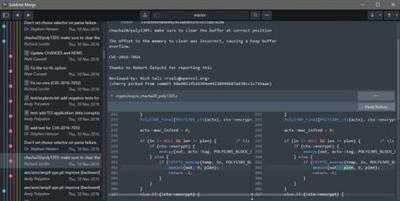
Git Client, done Sublime. Meet a new Git Client, from the makers of Sublime Text. A snappy UI, three-way merge tool, side-by-side diffs, syntax highlighting, and more. Stage Files, Hunks and Lines with no waiting - Sublime Merge is really, really fast.
Feature Highlights
INTEGRATED MERGE TOOL
The Integrated Merge Tool allows you to resolve any merge conflicts directly in Sublime Merge, rather than having to open up your editor of choice.
Conflicts are presented with a 3-pane view. On the left are your changes and on the right are theirs. In the center pane is the resolved text, with buttons to choose between your changes or theirs. The same text editing functionality as Sublime Text is also available for more complicated merges.
Clicking on the header in the middle pane will switch between the editable merge results and the base file.
Use Ctrl+S or the Save button to save your merged file.
POWERFUL SEARCH
Use find-as-you-type search to dig up the exact commit you're looking for.
Search for commit messages, commit authors, file names, and wildcard patterns. Complex search queries can be constructed using and, or and () symbols.
For example min-parents:2 author:jskinner path:tests/* (bug fix or test) will search for a merge commit from jskinner inside the tests directory that contain the words "bug" and "fix" or the word "test".
You can open search with Ctrl+F or through the menu: Navigate Search.
UNMATCHED PERFORMANCE
Sublime Merge is built on the same custom platform as Sublime Text, providing unmatched responsiveness. With a powerful, cross-platform UI toolkit, an unmatched syntax highlighting engine, and a custom high-performance Git reading library, Sublime Merge sets the bar for performance.
BLAME
Open the Blame of a file through the Command Palette or when viewing a commit to see exactly which lines of the file were added by...
Read more
Continue reading...