


King
Administrator
- Joined
- Jul 12, 2021
- Messages
- 25,005
- Reaction score
- 5
- Points
- 38
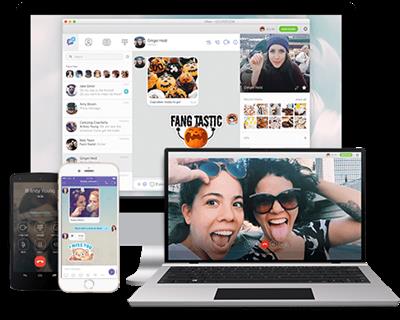
Viber for Windows 18.7.0
File Size: 117.3 MB
Conveniently place phone calls and send SMS messages for free to smartphones running popular operating systems, by using WiFi or 3G. Viber is an approachable software tool that proposes a simple solution for getting in contact with friends and family, by making phone calls and sending SMS messages for free over the web. It is cross-platform and supports iOS, BlackBerry OS, Android, Windows Phone, Series 40, Mac OS, Symbian and Bada devices.
Cross-platform utility with a comfortable interface
In order to efficiently work with this app, it must be installed on both the computer and mobile devices that you're trying to reach. After confirming the activation code, data will be synchronized so you can make calls and send texts via Wi-Fi or 3G.
The application is wrapped in a clean and intuitive interface that permits anyone to quickly get used to it, displaying all the available contacts, recent conversations and calls. You can exchange emoticons and locations in addition to text, photo and video messages.
Notifications and automatic contacts finder
If you plan to carry on with your normal activity on the PC but still want to keep an eye on Viber, you will be pleased to know that it supports message notifications that pop up from the system tray. As far as the configuration is concerned, you can set the tool to display alerts only for calls, or for both messages and calls.
Regarding the contacts, you don't have to import anything into Viber. Instead of manually looking them up, you can let the program take care of this tedious task by granting it access to your device's address book, thanks to the fact that it is able to automatically identify and put the contacts to good use.
Evaluation and conclusion
In terms of performance, Viber ran smoothly during our evaluation, without triggering the operating system to...
Read more
Continue reading...