


King
Administrator
- Joined
- Jul 12, 2021
- Messages
- 25,005
- Reaction score
- 5
- Points
- 38
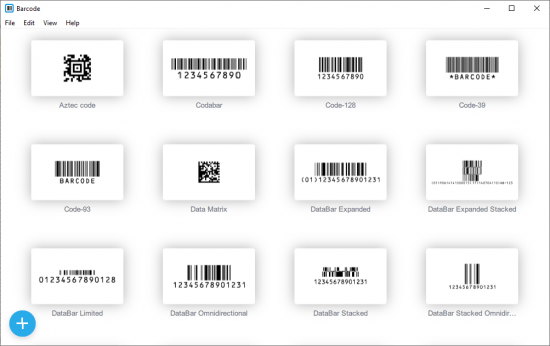
Appsforlife Barcode 2.4.1 | File size: 28 MB
The software lets you create barcode labels with your design. It is focused on the graphics appearance not just data, so you can control many aspects of the output like colors, fonts, sizes, margins etc. Everything is packed into a simple and intuitive user interface with Adobe Illustrator integration.
Barcode Types
All the main barcode symbologies are supported: UPC A, UPC E, ISBN 13, EAN 13, EAN 8, CODE 39, CODE 93, CODE 128, GS1 128, Codabar, I2/5, ITF 14, PHARMA, PDF 417, Databar, Aztec, Data Matrix and QR codes.
User Interface
A really simple and straightforward user interface guides you through barcode creation, making the whole process fast and preventing mistakes.
Customization Options
The software lets you customize absolutely everything: from fonts to bar widths, from colors to margins. Spot colors are also supported for vector output. You get exactly the barcode you need.
Adobe Illustrator Support
Instead of making Adobe Illustrator barcode plugin, we provide a simple drag and drop solution. This way your Illustrator projects don't depend on the third party software.
Once the barcode is ready, simply drag it into Illustrator, then click "Embed" there. Barcodes are copied as vector objects with maximum quality and you get a self-contained document without unnecessary dependencies.
Bulk Barcode Generation
Our barcode software supports bulk processing, so you can configure a barcode and provide a list of codes. The software will run through it and make as many barcodes as you need. Multiple copies are also supported.
Command Line Support
Need command line processing? The software can be used in batch scripts without showing any user interface. You configure the barcode, then simply pass some command line parameters and get the output image in the format you need.
Making Barcode Labels
The software is perfect for...
Read more
Continue reading...