


King
Administrator
- Joined
- Jul 12, 2021
- Messages
- 25,005
- Reaction score
- 5
- Points
- 38
File size: 41 MB
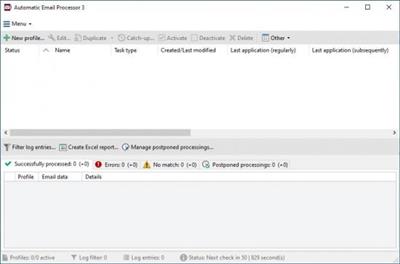
Automatic Email Processor is the complete solution for Outlook to store and print incoming emails and their attachments automatically. For this, various filters, flexible configuration options, such as individually definable storage folders and the possibility of subsequent processing are available. For example, the path of the location where you want Automatic Email Processor to save certain emails or email attachments, can be assembled dynamically from individual properties of an email.
For storing email messages, inter alia, the output format can be specified (for example, PDF, RTF, or HTML). The Outlook message format (MSG files) is for example particularly suitable to back up e-mails. The program supports the creation of an unlimited number of rules to allow separate settings for different email accounts. Rules can be additionally applied to emails of a specific time period or to any previously received emails of an Outlook folder.
WITH AUTOMATIC EMAIL PROCESSOR, YOU CAN
Automatically store respectively archive email attachments
Save emails automatically (as PDF file or in the original format)
Automatically print emails and email attachments (PDF files, Office documents etc.)
Monitor an unlimited number of Outlook folders
Create custom rules for different tasks
Filter by subject, sender, recipient, attachment file name ...
Receive information about the processing status via email
Create storage folders dynamically from properties of an email
Perform subsequent actions such as start a program with parameters, mark the message as read, or move the email into another Outlook folder
Re-process all emails (with certain criteria) of an Outlook email folder
Archive emails from any Outlook folder and period (e.g. as MSG files)
Code:
https://gillmeister-software.com/products/automatic-email-processor/changelog.aspx...
Read more
Continue reading...