


King
Administrator
- Joined
- Jul 12, 2021
- Messages
- 25,005
- Reaction score
- 5
- Points
- 38
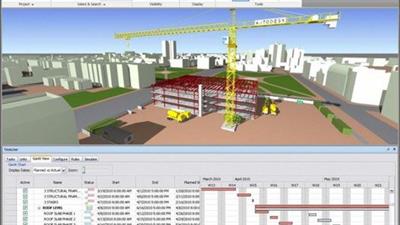
Bim - 4D Simulation With Navisworks Manage
Last updated 2/2022
MP4 | Video: h264, 1280x720 | Audio: AAC, 44.1 KHz
Language: English | Size: 1.20 GB | Duration: 3h 51m
from beginners to advanced
What you'll learn
How to create construction simulations using Navisworks Manage
How to create construction simulations using Dynamo and Revit
Work collaboratively in BIM teams
Create animation for your simulation
Requirements
basic information in 3D modeling
Description
Navisworks is a fantastic tool for construction, architecture, and engineering experts. This permits them to build models and combine these with building information modeling information, precise virtual plans can be built, potential difficulties are recognized, and every process is modernized. Technically this is just another type of 3D model, and can be used in a project timeline simulation, but also can provide value by planning clear work areas looking for trade overlap as well as helping with on-site material storage coordination.3D coordination is now used in most projects to help improve predictability during construction. Usually the geometry is only shown in its final constructed location. While it is a big step forward to improving communication and planning, it doesn't include the space needed during construction - which limits what can be predicted during the construction process.This course will show how to apply a practical approach to 4D construction simulation, including large equipment routing, clear work areas, on-site material storage, and key milestone indicators. We are using a combination of Revit and Navisworks to visualize and animate these important factors in gaining benefit from virtual construction. In this course, You will get an opportunity to learn how to make use of BIM processes including 4D timeliner simulations for enhanced construction planning.
Overview...
Read more
Continue reading...