


King
Administrator
- Joined
- Jul 12, 2021
- Messages
- 25,005
- Reaction score
- 5
- Points
- 38
2022-11-29
MP4 | Video: h264, 1920x1080 | Audio: AAC, 44.1 KHz
Language: English | Size: 268.74 MB | Duration: 48m
Create Text Effects In Photoshop Using Layer Styles
About This Class
Your project is to create text effects following the key principles you'll learn throughout this class. My recommendation is to start with sticker text effect. Apply gradient and stroke to Text effe
Description
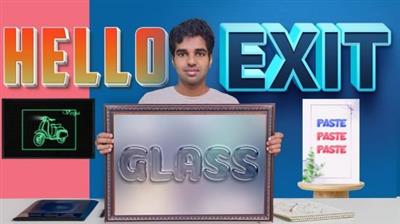
Hi. My name is Ashok . I'm a motion graphic designer, illustrator. In this course I will teach you to create 5 different text effects in Photoshop.
Glass Text Effect
Sticker Text Effect
3D Text Effect
Neon Glow Effect
3D Gaming Text Effect
A basic skill in Photoshop is only required to enroll this course. This course is for people willing to learn text design in Photoshop.
Photoshop trial or paid version is required to work with project files.
I will cover layer styles in depth. How to apply perfect stroke to text, making glow, applying multiple drop shadows, creating a bevel, adding details to text etc.
Once you finish each tutorial download the project file and try to experiment yourself
Project Guide
Your project is to create text effects following the key principles you'll learn throughout this class. My recommendation is to start with sticker text effect. Apply gradient and stroke to Text effect as per sticker text tutorial. Download and import gradient to apply gradient overlay.
Project 01
Download Group 01 folder
Open each PSD file once you finish watching tutorial.
Explore the layer styles yourself
Make sure to create following text effects
Sticker Text Effect
Glass Text Effect
3d Text Effect by generating extrusion layers
Neon Glow Effect
3D Gaming Text Effect
Download Files
I included the gradients, text backgrounds. Download & install the corresponding fonts.
Once you finish creating text post it over here.
Overview
Lesson...
Read more
Continue reading...