

King
Administrator
- Joined
- Jul 12, 2021
- Messages
- 25,005
- Reaction score
- 6
- Points
- 38
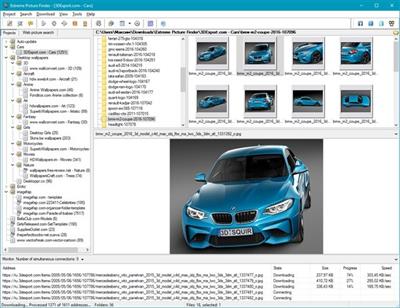
File size: 81.3 MB
Extreme Picture Finder is a powerful batch image downloader. Download all images from any website automatically and very fast. But not only images! It allows you to download music, video or any other files - just enter the website address, choose what files to download and where to save them and let Extreme Picture Finder do the rest for you. And you can instantly view the downloaded files in the built-in image viewer.
The program can be configured to download images from password-protected websites, forum threads, even social networks. Using advanced settings you can make Extreme Picture Finder skip certain parts of websites, like entire folders or single pages to make the download process even faster. Don't know where to start downloading? Extreme Picture Finder offers a built-in online projects database with thousands of website addresses sorted by category: Desktop Wallpapers, Cars, Girls, Nature and many, many others.
Another great feature of the program is, as the name suggests, a built-in picture finder. Just enter the keyword and the program will find and download thousands of pictures for you. It has different search modes allowing you vary the level of your interaction with the download process. You can let the program find and download only thumbnails and you'll see hundreds of images flying to you in a matter of seconds - this is the fastest search mode.
Then you can choose which full-size images to download manually. Of course, you can make Extreme Picture Finder find, download and save both thumbnails and full-size images automatically, or only full-size images. Plus the program can save all images that were found on the same page, where the original full-size image is located - the related images.
Features
- Download your choice of images, music, video or any other files from websites automatically
- Download...
Read more
Continue reading...