


King
Administrator
- Joined
- Jul 12, 2021
- Messages
- 25,005
- Reaction score
- 5
- Points
- 38
File Size: 98.4 MB
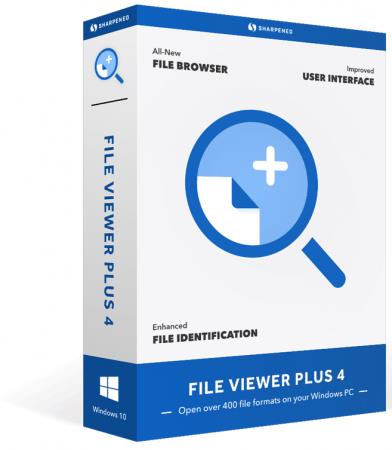
File Viewer Plus 4 opens over 400 file formats. View dozens of common file types, such as Office documents, PDFs, and image files, all with one program. Play hundreds of audio and video file formats with the built-in media player. Decompress archives with the file decompression tool. You can also open less common file formats with File Viewer Plus. View Microsoft Project and Visio documents. Open source code files with syntax highlighting. Open email attachments and downloads. If you have unknown files on your PC, try File Viewer Plus.
Features
Support for Over 400 File Formats
Text Documents (.DOC, .DOCX, .ODT, .RTF, etc)
PDFs (.PDF)
Spreadsheets (.XLS, .XLSX, .CSV, .TSV, etc)
Presentations (.PPT, .PPTX, .ODP, etc)
Visio Diagrams (.VSD, .VSDX, .VDX, etc)
Microsoft Project Files (.MPP, .MPT, .MPX)
Images (.JPG, .HEIC, .PSD, .CR2, .DNG, etc)
Audio Files (.MP3, .M4A, .OGG, .WAV, .WMA, etc)
Video Files (.AVI, .MP4, .MOV, .VOB, .WMV, etc)
Compressed Archives (.ZIP, .RAR, .7Z, .GZ, etc)
Email Files (.EML, .EMLX, .MSG, Winmail.DAT, etc)
Source Code Files (.CPP, .PHP, .JSON .XML, etc)
All-New File Browser
Browse files and folders on your PC
View file thumbnails and previews
View previews for PDFs, Word documents, photos, and more
Save favorite folders for quick access
Drag and drop folders to view their contents
Easily navigate between File Viewer Plus and Windows Explorer
Display file and folder properties
Show hidden files and folders
Sort files by name, date, type, and size
View file thumbnails in small, medium, large, and extra large sizes
Navigate directories with the navigation tree
Open folders from the Windows context menu
Customizable User Interface
HiDPI support
Select light or dark mode
Apply several different color themes
Choose simplified ribbon, classic ribbon, or compact window mode
Select single or multi-window...
Please Login or Register to view content
Continue reading...