


King
Administrator
- Joined
- Jul 12, 2021
- Messages
- 25,005
- Reaction score
- 5
- Points
- 38
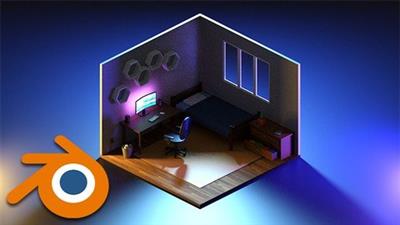
Model Your Low Poly Room In Blender 3.3
Published 10/2022
MP4 | Video: h264, 1280x720 | Audio: AAC, 44.1 KHz
Language: English | Size: 1.21 GB | Duration: 2h 13m
Use Blender to Create 3D worlds. Create models for Video Games, 3D Printing, NFT's & More. Beginners Level Course
What you'll learn
Use Blender and understand it's interface
Create 3D models with simple colors
Understand the principles of modelling
How to render your model
Requirements
No previous experience with 3D modelling or Blender is required.
Description
Do you want to start your 3d path, make it your main income, and be the best artist in the industry, etc etc. and you're looking for the best blender course to start off?Maybe you've on your way and want to create something more advanced but not too complex.Well, If yes then go ahead and enroll in my course where together with me, you will create this amazing low poly room.Firstly we will start with a basic introduction to the blender interface and I will show how things are set there.After we will move to our modeling section where we begin to model our room starting with primitive shapes. In modeling, we will learn how to model different things such as cables, mouse and keyboard, blankets with clothes in the drawer, and many others.In the texturing part, we will add colors to our models, also I will show you how to add PBR materials and how to make our objects glow by adding emission materials.In the last part will be setting a default 3-point light and will show you basic render settings.And at the end of this course, you will have your own modeled low poly room.See you on the course!
Overview
Section 1: Introduction
Lecture 1 Introduction
Section 2: Modeling
Lecture 2 Modeling Part 1
Lecture 3 Modeling Part 2
Lecture 4 Modeling Part 3
Lecture 5 Modeling Part 4
Section 3: Texturing
Lecture 6 Texturing Part 1
Lecture 7 Texturing Part...
Read more
Continue reading...