


King
Administrator
- Joined
- Jul 12, 2021
- Messages
- 25,005
- Reaction score
- 5
- Points
- 38
NoxPlayer 7.0.5.0
File Size : 569 Mb
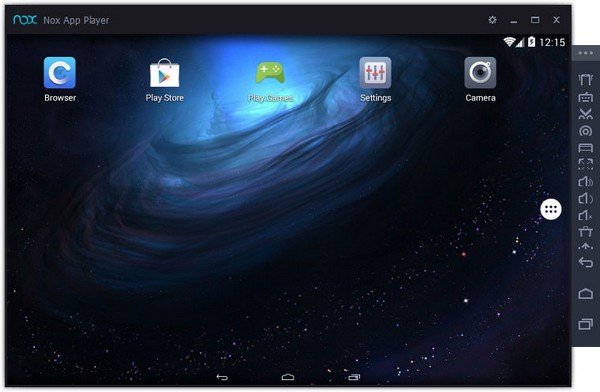
NoxPlayer (Nox App Player) is a mobile operating system emulator that allows users to create an Android environment directly on their desktop computers. A complete Android experience. With the help of this program, users can enjoy a full Android experience on their personal computers. The emulator's interface looks similar in all respects to that of real Android devices, and users can even switch to a touch input method, to mimic the Android experience entirely.
Based on the Android 4.4.2 platform release, the tool comes with Google Play integration out-of-the-box, something that rival tools out there might not feature. Thus, users can not only load APKs already stored on their computers but can download and install software from the official store.
Test applications and play games
The tool can prove highly useful when it comes to testing newly developed applications, but it is also meant for those looking only to play Android games with the help of their computer's keyboard and mouse.
Nox App Player comes with a multiplayer mode, which allows users to run multiple concurrent instances of the emulator on the same computer screen. Thus, they can have each instance of Nox App Player running a different application or game in the foreground, and can monitor all of them simultaneously.
Connect gamepads and controllers
The emulator has been designed with support for connecting gamepads and controllers and also offers full support for the computer keyboard, which can prove handy when playing ARPGs (Action Role Play Games).
The emulator allows users to choose a location for their virtual device and also delivers access to all of the settings and configuration options that a real Android device would offer to them.
A robust development tool
All in all, Nox App Player is a powerful Android emulator that allows users to...
Read more
Continue reading...