
Description
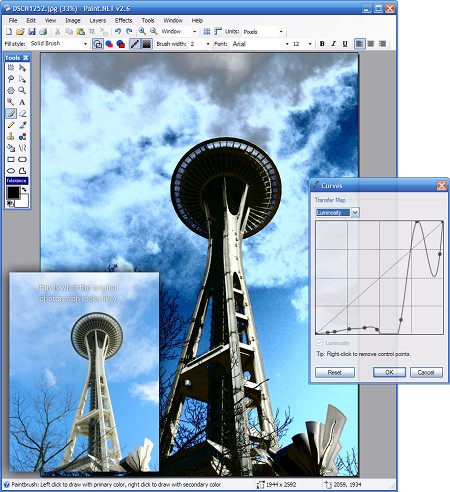
Paint.NET is a free image editing software. This program was originally designed as an alternative to the Windows paint program, but as it became more popular, many features and capabilities were added to it, and now it has become a professional program and image editor . Using paint.net you can apply image size, resolution, various effects, and more. Like Photoshop, the concepts of layers and layer composition in blending mode are also present in this software. It is also possible to add new features using plugins for this program.In this program you can draw all kinds of shapes and geometric images. Like Photoshop, it is possible to magically select parts of an image. For example, a red apple that has a lot of color differences with its background can be easily selected by Magic Vand. One of the features of image processing programs is to save all the steps and disasters that you bring to the photos. paint.net also stores the full history of changes, and you can do this whenever you want to go back with one click. This program is free so you can safely update it and benefit from the latest features and improvements of the program. This software has also appeared very well in terms of processing efficiency and speed, and has a good speed due to parallel processing and correct coding.
Paint.NET Features and Features:
- Completely free and with automatic updates
- High speed in image processing and editing
- Ability to use layers for complex edits
- Enjoy a variety of effects
- Professional tools for selecting images and separating objects from the background
- Save changes in history and the ability to go back at any time
- Various settings for full app customization
- And …
required system
Paint.NET Compatibility:
Minimum RequirementsWindows 7 with SP1 or newer (including Windows 8, 8.1, and 8.1 Update 1)
.NET Framework 4.6 (this will be installed automatically if not present).
1GHz processor (dual-core is recommended)
1Gb RAM
1024 x 768 screen resolution
200+ MB hard drive space
Pictures
Installation guide
This software is free and does not need to be cracked.download link
Download Paint.NET 4.3.4 Multilingual x86Download Paint.NET 4.3.4 Multilingual x64