


King
Administrator
- Joined
- Jul 12, 2021
- Messages
- 25,005
- Reaction score
- 5
- Points
- 38
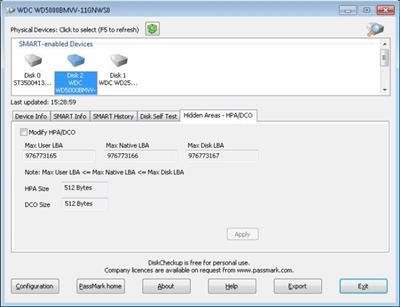
Passmark DiskCheckup 3.5 Build 1003
File Size : 4 Mb
PassMark DiskCheckup™ allows the user to monitor the SMART attributes of a particular hard disk drive. SMART (Self-Monitoring Analysis and Reporting Technology) is a feature on a computer's hard disk for providing various monitoring indicators of disk reliability. If SMART is enabled on a hard disk, the system administrator can receive analytical information from the hard drive to determine a possible future failure of the hard drive.
SMART monitors elements of possible long term drive failure, such as 'Spin Up Time', the number of start/stops, the number of hours powered on and the hard disk temperature.
DiskCheckup displays the current values of the SMART attributes, along with the Threshold value for that attribute. If an attribute drops below its threshold, the drive cannot guarantee that it will be able to meet its specifications in the future.
Note that SMART attributes change slowly over time and are helpful attempts to diagnose the life span of a particular drive. DiskCheckup monitors these changes over a long period and predict the date (if available) of the Threshold Exceed Condition (TEC), which is displayed on the main window.
DiskCheckup can also execute built-in Disk Self Test (DST) routines implemented by the vendor to detect drive failures. There are two main self test routines: Short Test and Extended Test. The results of these tests are displayed in DiskCheckup.
DiskCheckup has the ability to detect and set the sizes of the Host Protected Area (HPA) and Device Configuration Overlay (DCO). The HPA/DCO are hidden areas of the hard disk that contain data not accessible by the user. These areas can be removed to reveal the data hidden within these areas.
DiskCheckup also displays device information, such as the drive geometry, serial number, model number, media rotation rate, and...
Read more
Continue reading...