


King
Administrator
- Joined
- Jul 12, 2021
- Messages
- 25,005
- Reaction score
- 5
- Points
- 38
File Size : 12.2 Mb
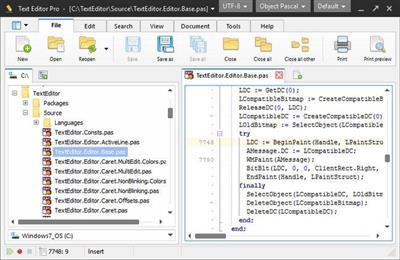
Text Editor Pro is a comprehensive and easy to use text editing tool that offers syntax highlighting for over 50 scripts. What is guaranteed to surprise you and catch your attention is that the application supports over 50 programming languages such as C++, COBOL, DOT Graph Drawing, DSP, DWScript, Fortran, Foxpro, Java, Perl, Python, Ruby SQL and many more. This feature alone makes Text Editor Pro an invaluable tool that can appeal to almost any programmer.
Right off the bat you notice how good the graphic design of the application looks. If focuses on simplicity and ease of access. All the tools you use frequently are displayed in the toolbar at the top of the main window but can also be accessed from the right-click context menu.
You can easily select any of the languages from a drop-down menu, create a new document and start writing. The application can handle multiple opened documents and displays them in separate tabs. Since aspect is important in the layout of the text, you get to increase and decrease indent and sort the text lines.
Working with hundreds of lines of text you're bound to need to locate certain words and commands. To help you out in this matter, the application provides you with a practical and powerful search function. It allows you to toggle case sensitive, whole words only and regular expression search modes. Another means of locating content is to mark it and then return to it when you need to. For this, you get the option of adding multiple bookmarks throughout the document.
When you work on a project and save multiple drafts of it you can can very easily get confused trying to figure out what is different between them. To make it easier for you, the application allows two files to be opened and compared line by line.
With the above to consider and more to discover, Text Editor Pro is by all means a handy and...
Please Login or Register to view content
Continue reading...