


King
Administrator
- Joined
- Jul 12, 2021
- Messages
- 25,005
- Reaction score
- 5
- Points
- 38
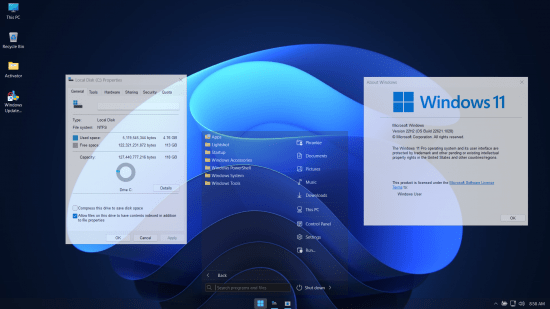
Windows 11 UltraLight 22H2 Build 22621.1028 Bypassed + Updatable + Xtreme Performance 2022
Windows x64 | English US | File Size: 2.5 GB
This is the latest version of Windows OS releases, with new interface and other new features like new Microsoft Store, a new personalized feed powered by AI and best-in-class browser performance from Microsoft Edge, Chat from Microsoft Teams integrated in the taskbar and many more!
General Info
OS Build : 22621.1028
Edition : UltraLight v2
Version : 22H2
Arch : x64amd
Lang : en-US
Author: Phrankie11
Compression: WIM Rec
ISO Size: 2.5 GB
Installed Size: 4 GB
Build Notes
- Ultimate Performance Applied
- Only 4gb Installed size
- Windows Update is working
- Defender is working
- Bloatware Free
- Support for font enable
- Keyboard English Only
- Language English
- Printing enabled
- Support for scanner present
- Microsoft Store is working
- Windows Hello present
- Bypassed All Requirements of windows 11 installation
- LZX Compression applied
- Bypassed Microsoft Account creation during setup
- Framework .Net 3.5 integrated
Removed/Disabled
- All UWP Apps excluded Microsoft Store and Windows Security
- All system apps except Windows Hello, Windows Search, Powershell and Framework .Net 3.5
- Remote Desktop
- Remote Access
- Night Light
- Backup and Restore
- Rollback
- Hyper V
- Tablet PC
- Mobile PC
- MSMQ
- Multipoint
- Diagnostic
- etc..
Pre-Installed
Framework .Net 3.5
StartAllBack
Windows Update Blocker
System Transparency
Notes
- Activator placed on desktop because windows is not activated
- If you want to use microsoft store and windows update you need to enable first the windows update blocker placed on desktop
- During first boot 2 compression will be executed just wait and relax be patient
- If you want to use printing and scanner you need to install the driver first and for printing set the print spooler...
Please Login or Register to view content
Continue reading...